לא ניתן היה למצוא את כתובת ה-IP של השרת של www.genizah.org.
- נסה להפעיל את אבחון הרשת של Windows.
DNS_PROBE_FINISHED_NXDOMAIN
Windows Live Mail FAQ
לא ניתן היה למצוא את כתובת ה-IP של השרת של www.genizah.org.
I've used movie maker over the last 8 years because its simple and allows me to get the job done.
However just lately the program keeps saying "the file might be corrupted or in a format that movie maker doesn't recognize"
I can't see the video I'm working on and can't use effects or anything.
I tried steller repair for corrupted videos to repair the video incase it was corrupted. I then put that video in movie maker live and after loading everything, the error came back.
I checked my ram. only 47% is being used.
My computer is up to date with date with its video card driver, the player I use is movie and tv and it plays the video with no problem.
I've tried Repairing the Windows Live Essentials. Still got the error.
I'm wondering if maybe its the hardrive where the files are from?
Has anyone experienced this problem before?
where is my email?
want to log in to my old email but carnt remeber password
Hi,
I have large set of holiday photos taken with 5 different phones and cameras. Unfortunately, the cameras had different ways of dealing with time zones, so they appear out of order. I spent a lot of time in Apple Photos correcting for this, changing the "date taken" for many pictures in order to get them all in the correct order. Then I uploaded it all for back-up to our OneDrive account - and OneDrive completely ignored my changed "date taken", reverting to the original dates and times. It's all a mess again.
Preferably, I'd like to know how to get OneDrive to recognize the changes made to "date taken" in Apple Photos.
If that's not possible, I'd like to know how to redo the work, to change the "date taken" for photos on OneDrive. We use the web-based version.
Thanks,
Sindra
the inbox does not show up on screen---?? just outbox--
Hi,
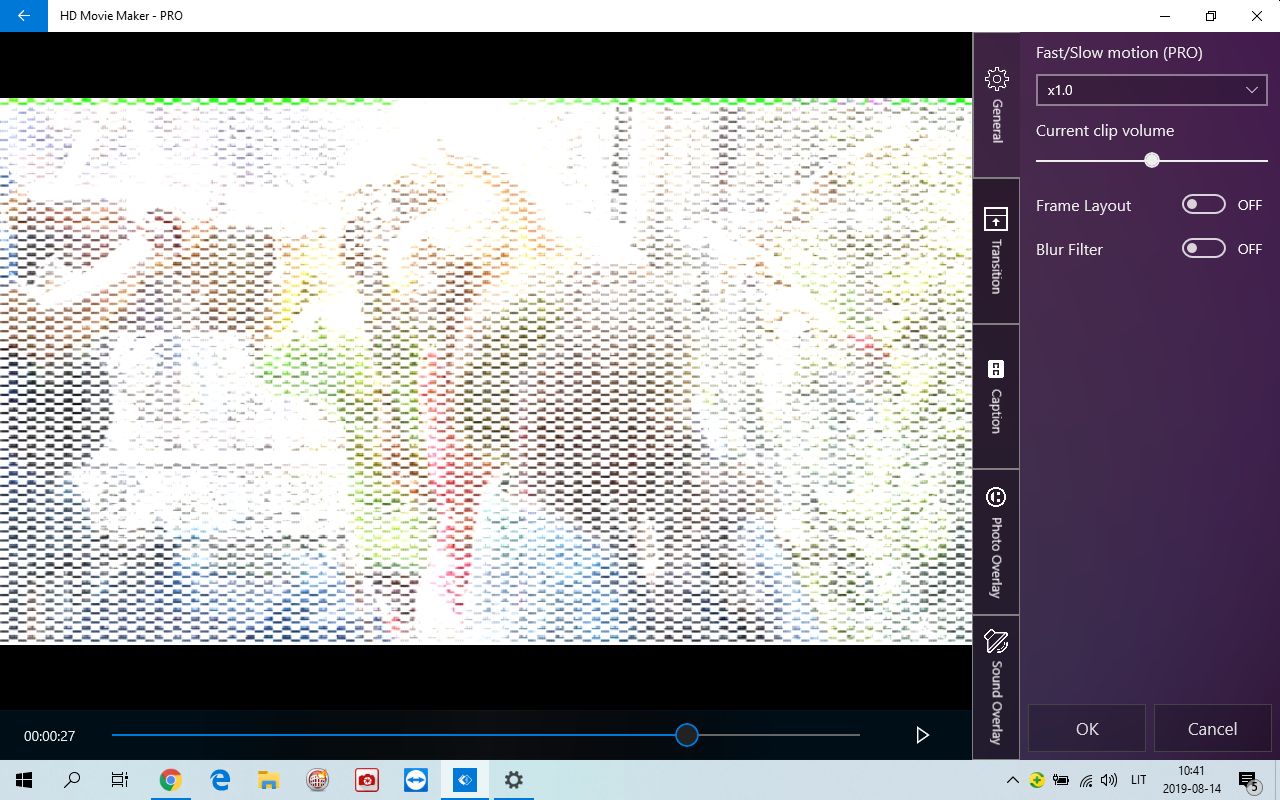
Just bought PRO version for HD Movie maker. When I fix a movie mixing photos and videos - photos are ok, but videos are shown as with a snow or pixelised in a preview version as well as in final. It does not depend on a duration/size of the movie. If I put only one video to the project, it's already "snowy-pixelised".
How Shall I fix that?
Recent Comments