I'm having a problem retaining the position of a moved folder - in this case Storage folders (as seen in the screenshot below).
In other words, when I move it to the place I need it to be (by using the 'Move up' option on the right-click menu), it returns to its original bottom position whenever I restart WLMail - which is very frustrating. How do I stop this from happening please?
Btw, I've also tried moving the mail accounts (using the 'Move down' option) below the Storage folders, but the same thing happens.

I'm having a problem retaining the position of a moved folder - in this case Storage folders (as seen in the screenshot below).
In other words, when I move it to the place I need it to be (by using the 'Move up' option on the right-click menu), it returns to its original bottom position whenever I restart WLMail - which is very frustrating. How do I stop this from happening please?
Btw, I've also tried moving the mail accounts (using the 'Move down' option) below the Storage folders, but the same thing happens.
if I get a message stating display driver stopped. then if I updatre my display driver would that take care OF my screen shutting off during use?
I received an email with a long list of names with email addresses. How can I download those addresses in my Windows Live Mail contact list?
***Moved from: Microsoft Education***
Hi. I clicked on something and now when I tried to open files from emails (PowerPoints, zipped files etc.) they only want to open with windows movie maker. Help please.
I've done extensive searching for a solution. It seems everyone that has experienced this problem has found a solution; but nothing I have tried works. My Gallery is littered with unwanted Xbox .png files, OneNote .png files, Skype .png files, Microsoft .png files, etc....
I will tell you that I know for a fact it was my fault and they are not there for any unknown reason. By accident I imported everything from my external hard drive into this APP. It imported 27000 pictures. Little did I know that most of these pictures I imported
were complete nuisances!
Within the App I have tried Settings>Sources> and so far I have only four items in the list: C:\Users\User\Pictures, D:\PLAYA\My Photos\IPHONE PICS\2019, C:\Users\User\OneDrive\Pictures, and C:\Users\User\Pictures\Our Time With German Girls. These are the four items in Sources. I have gone to each of these items File Explorer locations and made sure they contained only the photos
I desire to be in the App.
I have Updated my: Windows Update (Last Checked: Today, 5:10 PM) and restarted my computer.
Yes, I can Right-Click a single, unwanted, item and reveal it's File Location; but I cannot delete them. Not only because I'm receiving a "File Access Denied" message, which gives me two options: 1) Try Again and 2) Cancel … but also, because I don't want to
delete these items permanently in case they serve a purpose. I simply don't want to see them in this Photo App.
What am I doing wrong? What am I missing? Is there something I haven't tried? Is there something I don't know?
If I cannot find a solution to this problem the easy way. Is there a way I can wipe the App clean and just start my collection all over again? I don't have a problem with that. I do have all my wanted pictures and photos backed up on my external hard drive;
but it would be nice if this issue could be resolved the easy way.
PS. I also read somewhere that Windows Live Essentials could be updated or changed to potentially resolve this problem, but I cannot find Windows Live Essentials in my Control Panel>Programs>Programs and Features list. Is that why I'm having this issue?
I've done extensive searching for a solution. It seems everyone that has experienced this problem has found a solution; but nothing I have tried works. My Gallery is littered with unwanted Xbox .png files, OneNote .png files, Skype .png files, Microsoft .png files, etc....
I will tell you that I know for a fact it was my fault and they are not there for any unknown reason. By accident I imported everything from my external hard drive into this APP. It imported 27000 pictures. Little did I know that most of these pictures I imported
were complete nuisances!
Within the App I have tried Settings>Sources> and so far I have only four items in the list: C:\Users\User\Pictures, D:\PLAYA\My Photos\IPHONE PICS\2019, C:\Users\User\OneDrive\Pictures, and C:\Users\User\Pictures\Our Time With German Girls. These are the four items in Sources. I have gone to each of these items File Explorer locations and made sure they contained only the photos
I desire to be in the App.
I have Updated my: Windows Update (Last Checked: Today, 5:10 PM) and restarted my computer.
Yes, I can Right-Click a single, unwanted, item and reveal it's File Location; but I cannot delete them. Not only because I'm receiving a "File Access Denied" message, which gives me two options: 1) Try Again and 2) Cancel … but also, because I don't want to
delete these items permanently in case they serve a purpose. I simply don't want to see them in this Photo App.
What am I doing wrong? What am I missing? Is there something I haven't tried? Is there something I don't know?
If I cannot find a solution to this problem the easy way. Is there a way I can wipe the App clean and just start my collection all over again? I don't have a problem with that. I do have all my wanted pictures and photos backed up on my external hard drive;
but it would be nice if this issue could be resolved the easy way.
PS. I also read somewhere that Windows Live Essentials could be updated or changed to potentially resolve this problem, but I cannot find Windows Live Essentials in my Control Panel>Programs>Programs and Features list. Is that why I'm having this issue?
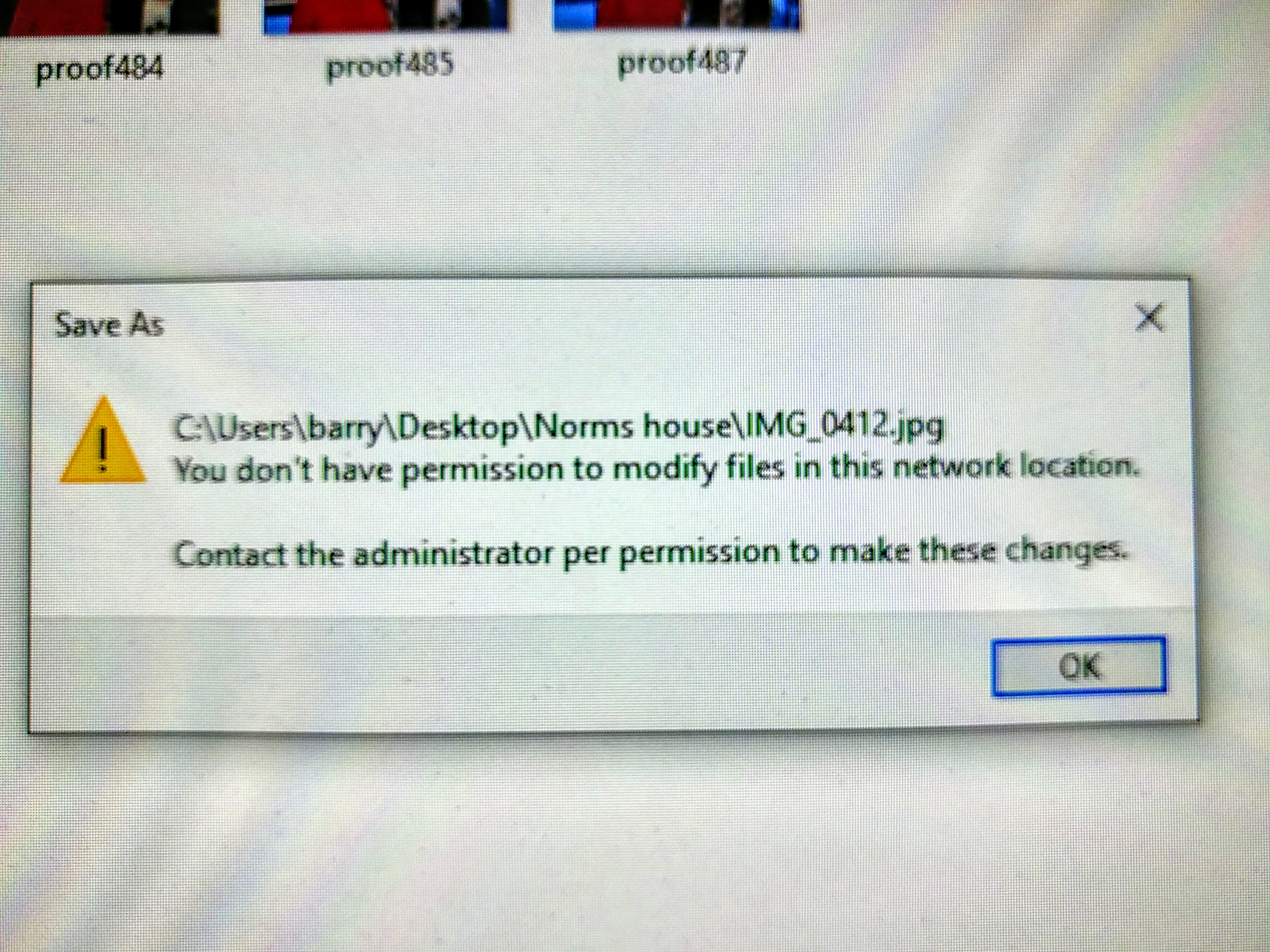
Just recently when saving edited image files, renaming and save as, I get this error message. I have had this computer for 5 months (hp all in one) with no issues. I use Adobe LR and PS for my editing.
I would like to keep my current hotmail account used for personal and create a separate new email account for business only
can you plase help me out
for installed my DVD player into my loplap
Recent Comments