Here are the facts: WLM was working just fine through every Window version and even in Win 10. Then, after Windows update I could not sent or reply to an email. Received everything just fine in all gmail & AT&T accounts. “Error occurred opening this file.”
This solution was posted here in the community.
https://answers.microsoft.com/en-us/windowslive/forum/livemail-program/windows-live-mail-a-problem-occurred-while-trying/21387c73-4d32-4765-9c67-6078e4798d7f
Before doing it I created a restore point. I followed the instructions and it completed (see scrfeenshot). But DISASTER! It only made maters worse, now I can not access WLM at all! Now I get the error message:
"Windows Live Mail could not be started. The application was unable to open the Windows Live Mail message store. Your Windows Live mailbox data is currently being used by another program, such as a virus scanner. Close the program or wait for it to complete its operation, then open Windows Live Mail again. (0x00C0155)"
I did a restore which completed but that did not resolve the disaster created by the “solution”! WHAT a mess. The “Solution” only made the first problem into a complete disaster and “restore” did not fix that.
The dark defrag screen-shot is the finished process that caused the disaster created by the "solutions". Restore to the restore point did not solve that.

Then did the process advised here:

That only made matters worse and now I can't even launch the program and a restore accomplished nothing.
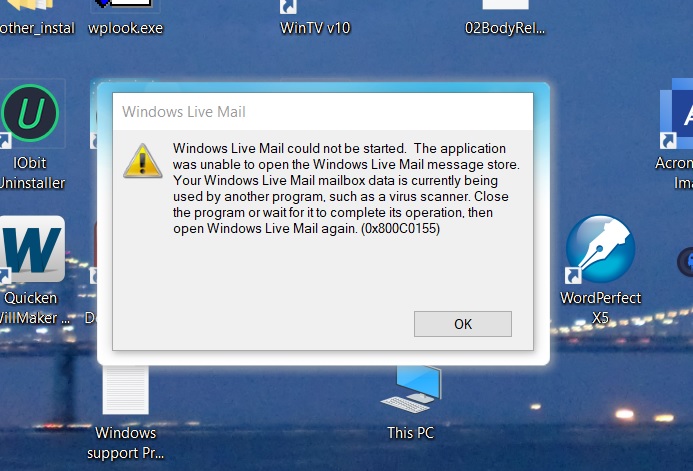
So you see? Problem. Solution. Disaster that appears irreversible via a restore point. HELP!
撰写回答